
Home Care Family Portal in San Diego
Beautifully designed. Simple to use. Powered by WellSky + Family Room.
HOME CARE, CONNECTED.
Your Digital Home Care System
All Heart’s home care family portal in San Diego gives you real-time visibility into your loved one’s daily care. While other agencies rely on paper binders and phone calls, we built something better — and families across San Diego have trusted it since 2014.
Accessible anytime, from anywhere, on any device.
No more wondering. Just knowing.
Powered by WellSky Personal Care + Family Room

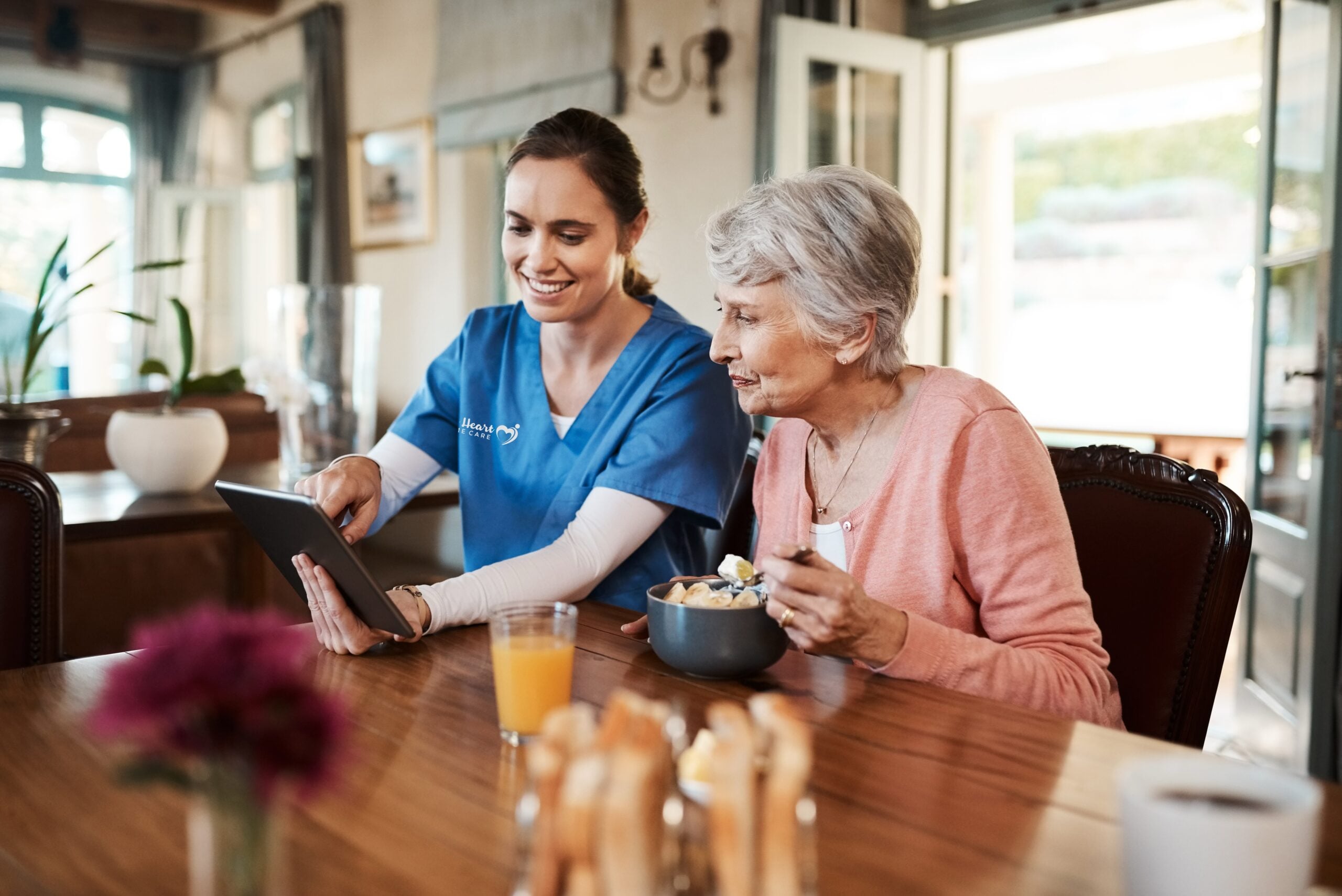
NO MORE BINDERS. NO MORE GUESSWORK.
Our Home Care Family Portal in San Diego Runs on Real-Time Data
Picture the typical setup: A three-ring binder on your parent’s kitchen counter with handwritten caregiver notes, medication schedules, and care instructions.
Caregivers write updates by hand. If you want to know how Dad’s doing, you call the office and hope someone can find the information. When care plans change, agencies try to notify all caregivers—but updates get missed.
It works. Sort of.
Until you’re driving to Mom’s house every Sunday just to read the binder. Until you and your brother argue about who paid what. Until you can’t read the caregiver’s handwriting. Until you’re trying to update your sister in Boston through endless phone calls.
We built something better.
We built All Heart on WellSky Personal Care—the leading digital platform that powers over 4,500 home care agencies across North America. Your loved one’s care plan lives on every caregiver’s phone. Daily documentation happens in real-time. You access everything through a secure family portal.
Not paper. Not phone tag. Just clarity.
6 more problems Family Room solves:
"My brother and I kept arguing about who paid what."
The Problem: Multiple siblings splitting home care costs means awkward money conversations, Venmo requests, tracking who paid last month, and uncomfortable discussions about fairness.
Family Room Solution: Set up automatic bill splitting through the portal. Three siblings? Each pays their third directly online. Clear itemization of services. Digital receipts. No more money arguments.
"I never knew if the caregiver actually showed up on time."
The Problem: You’re paying for 4-hour shifts but have no way to verify arrival and departure times. Did they actually stay the full time? Did they show up when scheduled? You’re trusting, but wondering.
Family Room Solution: GPS-verified Electronic Visit Verification shows exact clock-in and clock-out times. See precisely when caregivers arrived and left. Complete accountability and peace of mind.
"Trying to read handwritten notes was impossible."
The Problem: Caregiver handwriting ranges from messy to illegible. “Did Mom eat dinner or did she just have water?” You can’t tell. Critical information buried in scribbles.
Family Room Solution: Typed, clear, searchable notes after every shift. Read them easily on any device. Search for specific information—”Show me all notes mentioning appetite from the past week.” Done.
"I couldn't share updates with my sister in Boston without playing phone tag."
The Problem: You’re local, your sister’s across the country. You read the binder, then try to call her to relay information. She’s in a meeting. You leave voicemail. She calls back. You miss it. Information gets lost in translation.
Family Room Solution: Your sister in Boston logs into Family Room and sees exactly what you see. Same notes, same calendar, same updates. Everyone stays informed simultaneously. No phone tag required.
"The binder was always missing pages or out of order."
The Problem: Updated medication list? Someone took it to the doctor and didn’t return it. Emergency contacts? On a loose paper somewhere. Care plan? Five versions exist, nobody knows which is current.
Family Room Solution: Everything in one organized digital system. Nothing gets lost. Everything stays current. All documents in one secure place, accessible to everyone who needs them.
"I had no way to communicate directly with caregivers."
The Problem: Want to ask the caregiver to pick up a prescription? You call the office, leave a message, hope it gets relayed. Want to let them know your sister’s visiting Saturday? More phone calls.
Family Room Solution: Send messages directly through the portal. “Can you pick up Mom’s prescription at Walgreens tomorrow?” Caregiver sees it, confirms, done. Clear, documented, direct communication.
WHAT FAMILIES TELL US
What Family Room Actually Solves
These are real frustrations families share with us about traditional paper-based home care—and how our digital system fixes them.
"I was driving to Mom's house every Sunday just to read the binder."
You can’t check on your parent’s care unless you physically go to their house and flip through handwritten notes.
Family Room Solution: Open your phone during lunch. See detailed notes from every shift this week. Read them from your office, your couch, or while traveling. The information comes to you.
Care Coordination
DIGITAL CARE PLAN
Your Digital Care Plan
When you start care with All Heart, we build a comprehensive digital care plan together—not a paper folder, but a living document that caregivers access on their phones during every shift.
We document what makes your loved one unique. Morning routines, personal preferences, cognitive patterns, medication schedules, mobility needs, home environment details—all in one organized digital plan.
Here’s what makes digital different:
When your caregiver arrives Monday morning, they open the WellSky app and see your loved one’s complete care plan—updated as of today. Something changed over the weekend? They see it immediately.
When care plans change (and they do frequently), we update once and every caregiver gets notified instantly. No printing updated pages. No hoping everyone checks the binder.
One plan. Every caregiver. Always current.
DAILY CARE REPORTING
Customized Care Plan
Your loved one’s health needs are unique—their care plan should be too.
We create a customized digital care plan based on specific health conditions. Dementia? Parkinson’s? Surgery recovery? We document exactly what care they need and how caregivers provide it.
Accessible on every caregiver’s phone. Updated in real-time.
Your care plan lives on our mobile platform. Every San Diego caregiver has instant access to current information—routines, safety protocols, preferences, health updates—right at their fingertips.
Health changes? We update immediately. You’re never wondering if caregivers have the latest information.
FAMILY ROOM PORTAL
Family Room: Your Window Into Daily Care
The question that keeps families up at night: “Is my parent okay right now?”
With paper-based care, answering requires phone calls and waiting. Family Room changes that. Your secure web portal shows you what’s happening—from your phone, tablet, or computer—anytime you want to check. What you see in Family Room:
Daily Shift Notes
Detailed, typed narratives after every visit. Searchable. Readable. No more deciphering handwriting.
Care Calendar
See upcoming shifts, appointments, and which caregiver is coming. No surprise switches.
Health Alerts
Change of Condition reports appear in real-time when caregivers notice meaningful changes.
Two-Way Messaging
Send messages directly to caregivers. "Can you pick up Mom's prescription tomorrow?" Done.
Document Storage
Upload medical records, insurance cards, POLST forms, photos. Everything organized in one secure place.
Verified Visit Times
GPS-verified clock-in/clock-out times. Complete accountability.
Bill Splitting
Multiple siblings splitting costs? Each pays their portion online. No awkward money conversations.
Multiple family members, one source of truth.
We set up Family Room access for as many family members as you want. Everyone sees the same notes, same calendar, same updates. The sibling in Phoenix sees what the local daughter sees.
Transformative for long-distance caregiving—your parent in San Diego, you in Seattle, but you’re just as connected.

Reduces your workload.
Fewer phone calls. No driving to check the binder. Automatic family coordination. Direct caregiver communication. Organized document storage.
Time savings add up. Spend less time coordinating care, more time connecting with your loved one.
See all Family Room features in detail
Daily Shift Notes - Detailed Documentation
After every caregiver shift, you’ll see typed, detailed narratives documenting:
- What your loved one ate for each meal (breakfast, lunch, dinner, snacks)
- Beverages and hydration throughout the day
- Activities completed (walks, exercises, hobbies, social interaction)
- Mood and emotional state observations
- Energy levels and alertness
- Bathing, grooming, and personal care assistance provided
- Medication reminders given (time and which medications)
- Toileting assistance and continence observations
- Any changes in behavior or health status
- Conversations and topics that engaged them
- Visits from family members or friends
Searchable archive: Want to see all notes mentioning “appetite” from the past two weeks? Type it in the search bar and find them instantly. No more flipping through pages of handwritten notes.
Historical access: Review notes from last month, last quarter, or since care began. Identify patterns over time.
Care Calendar & Schedule Management
See upcoming care:
- All scheduled shifts for the week/month ahead
- Exact times for each visit
- Which specific caregiver is assigned to each shift
- Scheduled medical appointments
- Therapy sessions
- Social activities
Real-time schedule changes:
- Caregiver running late? See updated arrival time
- Schedule adjustment needed? Submit request through portal
- Caregiver substitution? See who's covering and why
- Holiday schedule changes? Updated immediately
Know your caregivers: See which caregiver is coming tomorrow so you can build relationships. No more surprise caregiver switches without explanation.
Appointment coordination: Doctor appointments, physical therapy, salon visits—all visible with prep time notes so caregivers help your loved one get ready.
Health Monitoring & Change of Condition Alerts
Real-time health alerts when caregivers notice:
- Increased confusion or disorientation
- Changes in mobility or balance (more unsteady, new difficulty walking)
- Appetite changes (eating less, refusing meals)
- Hydration concerns (not drinking enough fluids)
- New skin issues (rashes, bruising, pressure sores)
- Mood changes (increased anxiety, depression, agitation)
- Pain complaints or discomfort
- Falls or near-falls
- Breathing difficulties
- Any other significant health observations
Immediate notification: You receive alerts in Family Room the moment caregivers submit Change of Condition reports. Not hours later. Not days later. Immediately.
Pattern recognition: Because everything is digital and timestamped, patterns emerge. Three days of decreased appetite becomes visible. Progressive mobility decline gets flagged. Early intervention becomes possible.
Two-Way Messaging - Direct Communication
Send messages to caregivers without phone tag:
Common messages families send:
- "Can you pick up Mom's prescription at CVS on Main Street tomorrow?"
- "Dad has a dentist appointment Tuesday at 2pm—please help him get ready by 1:30"
- "My sister is visiting this weekend, we won't need care Saturday or Sunday"
- "Please encourage Mom to drink more water—she's been dehydrated lately"
- "The physical therapist recommended Dad use the walker in the house, not just the cane"
- "Mom's favorite talk show is on at 3pm—she loves watching it"
Caregiver confirmation: Caregivers see messages, confirm receipt, and acknowledge understanding. You know the message got through.
Office communication: Message our office staff directly for billing questions, schedule changes, or care concerns.
Documented communication: Unlike phone calls or text messages, all Family Room communication is documented and searchable. Never lose track of what was discussed.
No personal phone numbers: Privacy protected. No one shares personal cell phone numbers.
Document Storage & Sharing
Upload and organize important documents:
Medical Documents:
- Doctor's visit summaries
- Hospital discharge instructions
- Medication lists from physicians
- Lab results
- Imaging reports (X-rays, CT scans, MRIs)
Legal Documents:
- Power of attorney
- Healthcare proxy
- POLST (Physician Orders for Life-Sustaining Treatment)
- DNR (Do Not Resuscitate) orders
- Living will
Insurance Documents:
- Insurance cards (front and back)
- Explanation of benefits
- Pre-authorization letters
Care Instructions
- Physical therapy exercises
- Occupational therapy recommendations
- Speech therapy protocols
Photos:
- Skin conditions (for physician review)
- Home modifications made
- Fall incidents (for documentation)
- Before/after photos of healing wounds
Access from anywhere: All authorized family members can access uploaded documents. Your sister in Boston can see the same insurance card you uploaded from San Diego.
No more missing papers: Updated medication list? Upload it once. Everyone has access. No more “I took it to the doctor and forgot to return it.”
Secure storage: HIPAA-compliant document storage. Encrypted. Backed up. More secure than paper documents sitting in your parent’s home.
GPS-Verified Visit Times
Complete accountability for every shift:
See exact clock-in and clock-out times:
- Caregiver clocked in: 9:02 AM
- Caregiver clocked out: 1:58 PM
- Total shift time: 4 hours 56 minutes
GPS location verification: Electronic Visit Verification (EVV) confirms the caregiver was physically at your loved one’s home. Required by Medicare and most insurance programs.
Billing accuracy: Verify that billed hours match actual visit times. Complete transparency.
Late arrival notifications: If a caregiver is running late, you see it in real-time. No wondering where they are.
Early departure tracking: Caregiver left early? You know about it immediately, not weeks later when reviewing bills.
Shift overlap visibility: When transitioning from one caregiver to another, see both clock-in and clock-out times to ensure smooth handoffs.
Billing & Payment Management
Financial transparency and convenience:
Detailed invoices showing:
- Date and time of each visit
- Caregiver name & services provided
- Hours worked & rate per hour
- Total charges
Online payment processing:
- Pay securely through the portal
- Credit card, debit card, or ACH bank transfer
- Set up recurring automatic payments
- One-time payment options
Bill splitting for multiple family members:
How it works:
- You tell us how to split costs (equally between 3 siblings, 60/40 between two children, specific dollar amounts—whatever your family decides)
- Each family member receives their portion of the invoice through Family Room
- Each person pays their portion online
- System tracks who paid what and when
- No coordination needed between siblings
- Complete transparency—everyone sees the same charges
Payment history: Review past payments, download receipts for taxes or insurance reimbursement.
Invoice questions: Message our billing team directly through Family Room if you have questions about charges.
Multiple Family Member Access
Unlimited family accounts:
We set up Family Room access for as many family members as you want:
- Local siblings
- Children in other states
- Spouses
- Extended family members
- Anyone you authorize
Everyone sees the same information:
- Same daily shift notes
- Same care calendar
- Same health alerts
- Same billing information
- Same uploaded documents
Eliminate information gaps: No more “I didn’t know about that” between family members. Everyone has equal access to information.
Reduce family conflicts: When everyone sees the same data, there’s one source of truth. Fewer misunderstandings. Less conflict.
Coordinate care decisions: All family members can participate in care decisions regardless of geographic location.
Long-distance caregiving: Your sister in Boston has the same portal access you have in San Diego. She’s not excluded from care coordination just because she lives far away.
Reduces Your Administrative Workload
Time saved every week:
You’re no longer:
- Driving to your parent's house just to read the binder (save 1-2 hours/week)
- Calling the office for updates and waiting for callbacks (save 2-3 hours/week)
- Calling siblings to relay information (save 1-2 hours/week)
- Coordinating bill payments between family members (save 1 hour/month)
- Searching for lost documents or medical records (save 1-2 hours/month)
- Trying to decipher handwritten caregiver notes (save 30 min/week)
Total time saved: 5-8 hours per week
What you do with that time: Spend it actually connecting with your loved one instead of managing logistics. Visit because you want to, not because you need to check on care.
Privacy & Security
Your family decides who has access:
- You control which family members get Family Room accounts
- You can add or remove access at any time
- Each person has their own login credentials
- Activity is logged (who viewed what and when)
HIPAA-compliant security: All Family Room communication and document storage meets federal health information privacy requirements.
Works on Any Device
Access Family Room from:
- iPhone or Android smartphone
- iPad or Android tablet
- Desktop or laptop computer
- Any device with internet access
Mobile-responsive design works seamlessly on any screen size.
This is what families mean when they say Family Room changed everything.
Complete visibility. Real-time updates. Direct communication. Financial transparency. Time savings.
Not available at most San Diego home care agencies.
REAL-WORLD BENEFITS
What Digital Care Changes For Families
Less Anxiety
Open Family Room during lunch. See Dad's morning went well. Back to work without worry.
Fewer Family Conflicts
Everyone sees the same information. One source of truth. Less confusion, more cooperation.
Better Care Quality
Caregivers with complete, current information provide more personalized support.
Early Problem Detection
Patterns become visible. Small issues addressed before ER visits. Early intervention prevents hospitalizations.
Long-Distance Caregiving Works
Check daily notes from anywhere — especially valuable for families with loved ones in 24-hour home care in San Diego.
Financial Clarity
See exactly what you're paying for. Verified visit times match billed hours.
Time Savings
Hours you're not spending driving to read binders, calling for updates, or coordinating with siblings go back to you.
SECURITY & TRUST
Hospital-Grade Security
HITRUST CSF Certified
Gold standard for healthcare data security. Same certification hospitals use.
Bank-Level Encryption
All data encrypted in storage and transmission.
Strict Access Controls
You decide who gets Family Room access. Every action logged and audited.
HIPAA Compliant
Meets all federal requirements. Regular security audits.
Continuous Backup
Data backed up across multiple secure locations.
99.9% Uptime
System outages are extremely rare. Caregivers work offline if needed.
Is digital safer than paper? Yes. Paper binders can be read by anyone, lost, damaged, or destroyed. Digital is more secure, reliable, and durable.
Getting started is simple.
How digital care begins.
Free home assessment
We learn who your loved one is and what they need. This becomes the foundation of their digital care plan.
Caregiver matching
We match your loved one with trained San Diego caregivers who receive the digital care plan before their first shift.
Family room setup
We set up your account and show you how it works. Add as many family members as you want.
Care begins
We start when you’re ready. You stay in control. We stay in touch.
Ongoing support
Our care managers monitor quality, update care plans, and ensure consistent standards.

Frequently asked questions about digital home care
I'm not tech-savvy. Can I use Family Room?
If you can check email on your phone, you can use Family Room. We’ll walk you through it step by step.
What if my parent doesn't have internet?
Your parent doesn’t need any technology. Only family members who want portal access need internet-connected devices.
Does digital care cost more?
No. Digital technology is included in standard rates. No extra fees.
How does bill splitting work?
Each family member receives their portion of the bill through Family Room and pays online. System tracks everything automatically.
Is our health information secure?
Each family member receives their portion of the bill through Family Room and pays online. System tracks everything automatically.