
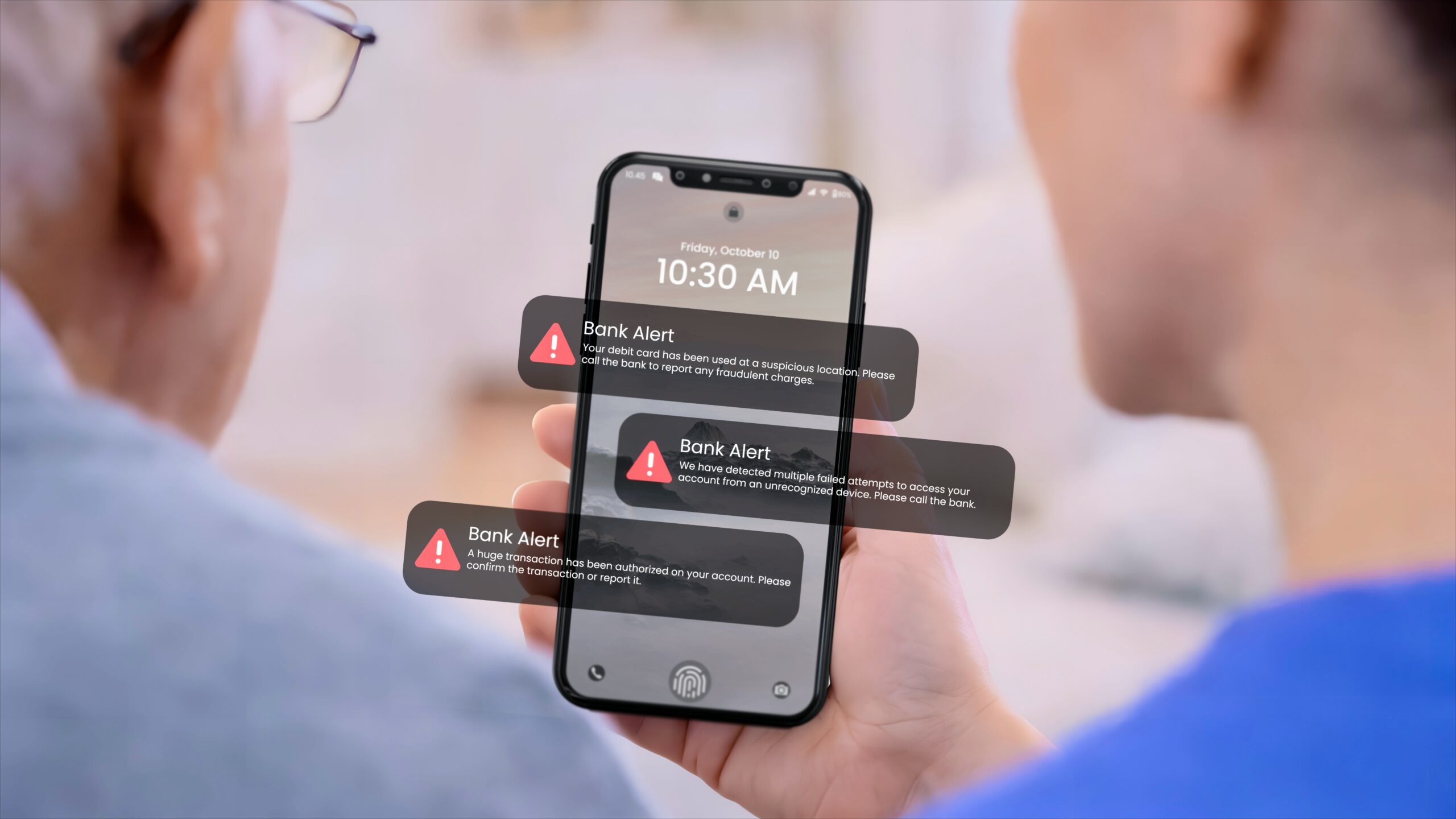
Your parents survived raising you, building a career, and navigating decades of life’s challenges. But right now, they’re facing a threat many families don’t see coming: fraud.
The numbers are staggering. According to the FBI’s 2024 Internet Crime Report, seniors lost $4.9 billion to scammers last year—a 43% increase from 2023. The FTC estimates the real losses may reach $81.5 billion when unreported fraud is included.
Here in San Diego County, the crisis is hitting home. FBI data shows that in 2024 alone, more than 1,300 San Diego residents aged 60 and older lost a combined $108 million to fraudsters—an average of $80,000 per victim.
If you’re caring for an aging parent in San Diego County, understanding how scammers operate—and how to protect your loved one—isn’t optional. It’s essential.
Why Seniors Are Targeted
Scammers don’t target seniors randomly. They choose them deliberately because:
• They have money — Decades of saving, home equity, pension funds, and retirement accounts make seniors financially attractive targets.
• They’re trusting — Many seniors grew up in an era where a handshake meant something and people kept their word. That trust is now weaponized against them.
• They’re isolated — Loneliness makes seniors vulnerable to “friendly” strangers who call regularly, show interest in their lives, and gradually gain access to their finances.
• They won’t report it — Seniors often feel ashamed, worry about losing independence, or don’t know where to turn for help. The FBI notes that this silence emboldens scammers.
• They may be cognitively vulnerable — Early-stage Alzheimer’s or dementia can impair judgment while leaving conversational skills intact—making it hard for families to detect the problem until significant damage is done.
The 5 Most Common Scams Targeting Seniors
1. The Grandparent Scam (Now Supercharged by AI)
How it works: A scammer calls claiming to be a grandchild in urgent trouble—arrested abroad, in a car accident, or stranded without money. They beg the senior not to tell anyone and to send cash immediately. In 2024-2025, these scams became dramatically more convincing with AI voice cloning technology. Scammers can now harvest a few seconds of audio from social media videos and create a near-perfect replica of your grandchild’s voice.
Why it works: Panic overrides logic. When a senior hears what sounds exactly like their grandchild crying and begging for help, their protective instincts take over before rational thinking can kick in. A Canadian fraud ring was recently indicted for using AI voice cloning to steal $21 million from American seniors across 46 states.
Red flags:
▶ Urgent requests — Demands for money via wire transfer, gift cards, or cryptocurrency.
▶ Pleas for secrecy — “Don’t tell Mom and Dad.”
▶ Refusal to verify — Won’t let you call them back at a known number.
▶ Courier pickup — Someone offers to come to your home to collect cash or gold bars.
How to protect them: Create a family code word that only real family members know—and make sure everyone understands never to reveal it to a caller. Teach your loved one to hang up and call the grandchild directly using a known phone number. Remember: AI can clone voices, but it can’t know your secret family password.
2. Tech Support and Government Impersonation Scams
How it works: Scammers call or create pop-up warnings claiming to be from Microsoft, Apple, the IRS, Social Security Administration, or even the FTC itself. They report a virus on the senior’s computer, unpaid taxes, or suspended benefits—then demand immediate payment via gift cards, wire transfer, cryptocurrency, or cash picked up by a courier.
Why it works: Authority and urgency. Seniors fear losing their computer, getting arrested for tax evasion, or losing Social Security benefits. According to the FTC, tech support scams cost older adults $159 million in 2024, and imposter scams now result in losses exceeding $100,000 three times as often for seniors as for younger adults.
Right here in San Diego, criminals have become brazen enough to send couriers directly to victims’ homes to pick up cash or gold bars. The San Diego Elder Justice Task Force has identified this as occurring “almost daily” in our county.
Red flags:
▶ Unexpected calls — “Tech support” contacts you about computer problems you didn’t report.
▶ Government threats — IRS or Social Security demanding immediate payment.
▶ Unusual payment methods — Requests for gift cards, wire transfer, cryptocurrency, or cash.
▶ Threats of arrest — Lawsuits or benefit suspension unless you pay now.
▶ Pop-up warnings — Messages that freeze the computer screen.
How to protect them: The IRS never calls demanding immediate payment. Microsoft doesn’t cold-call about viruses. Social Security won’t threaten to suspend benefits over the phone. No legitimate agency or company will ever send someone to your home to pick up cash or gold. Teach your loved one to hang up and call the official number directly.
3. Investment and Cryptocurrency Scams
How it works: Scammers contact seniors through social media, dating sites, or even text messages that appear to be sent to the wrong number. They build trust over weeks or months, then suggest a “can’t miss” investment opportunity—often in cryptocurrency. Victims are shown fake trading platforms displaying impressive gains, but when they try to withdraw money, it’s gone.
Why it works: The promise of easy money, combined with the trust built through a relationship. These “pig butchering” scams (so named because victims are “fattened up” before the slaughter) have exploded. According to the FBI, investment scams cost seniors over $1.8 billion in 2024—more than any other type of fraud. Cryptocurrency accounted for $9.3 billion in total fraud losses nationwide, a 250% increase from 2023.
Red flags:
▶ Pressure to invest quickly — No time to review documents or consult family.
▶ Guaranteed returns — Promises of high returns with no risk.
▶ Cryptocurrency focus — Especially Bitcoin ATM deposits.
▶ Online-only relationship — Investment “advisor” won’t meet in person.
▶ Withdrawal problems — Excuses for why you can’t access your money.
How to protect them: Attend financial meetings with your loved one. Verify any advisor’s credentials through FINRA’s BrokerCheck. Be especially wary of cryptocurrency investments suggested by online acquaintances. Consider adding yourself as a “trusted contact” on financial accounts so institutions can alert you to suspicious activity.
4. Romance Scams
How it works: Scammers create fake profiles on dating sites or social media, build an online relationship over weeks or months, then invent a crisis requiring money—a medical emergency, a business deal gone wrong, or travel expenses to “finally meet in person.”
Why it works: Loneliness is a powerful motivator. Widowed or isolated seniors crave connection, and scammers are patient, attentive, and emotionally manipulative. The FTC reports that social media has become the top pipeline for scammers targeting seniors, with losses via social platforms increasing nearly ninefold since 2020.
Red flags:
▶ Quick declarations of love — An online romantic interest who professes love within days or weeks.
▶ No video calls — Refusal or inability to meet in person or via video chat.
▶ Elaborate stories — Detailed explanations for why they need money.
▶ Moving off-platform — Requests to move conversations to email, text, or WhatsApp.
How to protect them: If your loved one mentions a new online relationship, ask gentle questions. Offer to help them video chat with the person. Run a reverse image search on profile photos—many are stolen from other websites. Remember that anyone who asks for money before meeting in person is almost certainly a scammer.
5. Medicare and Healthcare Scams
How it works: Scammers pose as Medicare representatives offering free medical equipment, discounted prescriptions, or “updated” Medicare cards. They collect Medicare numbers, personal information, and payment—then disappear. Some may actually ship low-quality or unnecessary equipment, billing Medicare, and leaving the senior liable for the difference.
Why it works: Healthcare costs are terrifying for seniors on fixed incomes. The promise of savings or “free” equipment is too tempting to ignore. Older adults are also more likely to have ongoing healthcare needs, which makes these offers seem relevant.
Red flags:
▶ Unsolicited calls — Offers for “free” medical equipment you didn’t request.
▶ Requests for Medicare numbers — Asking for Medicare ID or bank information over the phone.
▶ No-prescription pharmacies — Online pharmacies offering prescriptions without a doctor’s visit.
▶ Too-good pricing — Prices that seem too good to be true.
How to protect them: Medicare will never call unsolicited to ask for personal information. Legitimate pharmacies require prescriptions. If your loved one needs medication assistance, help them explore legitimate government programs such as Medicare Part D’s Extra Help program.
Warning Signs Your Loved One May Be a Victim
Even if your loved one doesn’t tell you about suspicious activity, watch for these warning signs:
Financial Red Flags
• Unexplained withdrawals — Large or frequent transfers you can’t explain.
• Unfamiliar payments — Money going to people or companies you don’t recognize.
• New “investments” — Financial activities they can’t clearly explain.
• Gift card purchases — Especially multiple cards from different stores.
• Sudden money troubles — Financial difficulties despite adequate income.
Behavioral Red Flags
• Secretive behavior — Hiding phone calls or online activity.
• New “friends” — Mentions someone who’s helping with finances.
• Reluctance to discuss money — When they were previously open about finances.
• Defensiveness — Unusual reactions when you ask about purchases or withdrawals.
Communication Red Flags
• Excessive calls — Receiving many phone calls from unknown numbers.
• Unusual online activity — Spending hours on the computer or phone.
• Suspicious contacts — New email contacts with strange names.
• Unexpected packages — Deliveries arriving from unknown sources.
How In-Home Caregivers Can Help Prevent Fraud
Here’s something many families don’t realize: professional in-home caregivers can be your first line of defense against scams.
At All Heart Home Care, our caregivers spend hours each week in your loved one’s home. That consistent presence creates natural protection:
✓ We notice unusual activity — If your loved one starts receiving suspicious phone calls, spending hours online with “new friends,” or hiding financial documents, our caregivers can alert you.
✓ We provide companionship that reduces isolation — Lonely seniors are the easiest targets. Regular social interaction makes them less vulnerable to romance scams and “friendly” fraudsters.
✓ We can monitor phone and door interactions — Our caregivers can screen calls, answer the door, and help your loved one avoid pressure tactics from scammers—including the couriers now being sent directly to homes.
✓ We document changes in behavior — Through detailed care notes, we track daily activities and note anything unusual—providing you with an early warning system.
✓ We’re trained to recognize cognitive changes — If your loved one shows signs of confusion or impaired judgment, we communicate with your family so you can take protective action.
This isn’t about controlling your loved one’s independence. It’s about adding a layer of protection that helps them stay safe while remaining in their own home.
What to Do If Your Loved One Has Been Scammed
Act fast. Time matters in fraud cases.
Step 1: Stop Further Contact
✓ Block the scammer — Block their phone number and email immediately.
✓ Deactivate dating profiles — If it’s a romance scam.
✓ Stop all transactions — If it’s investment fraud.
Step 2: Document Everything
✓ Save communications — Emails, text messages, and call logs.
✓ Print statements — Bank statements showing fraudulent transactions.
✓ Take screenshots — Of suspicious websites or profiles.
✓ Write details — Dates, amounts, and details of all interactions.
Step 3: Report to Authorities
San Diego County Adult Protective Services
📞 800-510-2020 (within San Diego County)
📞 800-339-4661 (outside the County)
FBI Internet Crime Complaint Center
🌐 ic3.gov
Federal Trade Commission
📞 877-382-4357
🌐 ReportFraud.ftc.gov
National Elder Fraud Hotline
📞 833-372-8311
San Diego Police Department (non-emergency)
📞 619-531-2000
Step 4: Protect Financial Accounts
✓ Contact financial institutions — Call banks and credit card companies immediately.
✓ Freeze credit — At all three bureaus (Equifax, Experian, TransUnion).
✓ Change passwords — All online passwords and PINs.
✓ Set fraud alerts — On all financial accounts.
Step 5: Get Support
This is emotionally devastating for seniors and families alike. Your loved one may feel ashamed, angry, or depressed. Reassure them that this is not their fault—scammers are professionals who manipulate people for a living. Reporting helps protect others, and you’re there to help, not judge.
The San Diego Elder Justice Task Force’s Operation Counter Strike has recovered over $9 million for local victims since 2024. The sooner you report, the better the chances of recovery.
Prevention Is Easier Than Recovery
Once money is wired overseas, sent via gift cards, or transferred to cryptocurrency, it’s almost impossible to recover. The best defense is prevention.
Simple steps that make a big difference:
✓ Set up account alerts — Most banks offer email or text alerts for withdrawals above a specified amount. Set these up on your loved one’s accounts.
✓ Limit access to large sums — Move excess funds to a savings account that requires your co-signature for withdrawals.
✓ Create a family code word — Establish a secret phrase that only real family members know for emergency verification.
✓ Register on the Do Not Call Registry — While it won’t stop scammers, it reduces legitimate telemarketing calls, making suspicious calls easier to spot. Register at donotcall.gov.
✓ Discuss common scams openly — Don’t wait until something happens. Talk about these scams during regular visits so your loved one knows what to watch for.
✓ Stay connected — Weekly phone calls or visits make it harder for scammers to isolate your loved one.
✓ Consider in-home care — Even a few hours a week of companionship care creates accountability and reduces vulnerability.
You’re Not Being Overprotective — You’re Being Smart
Some families worry that monitoring finances or screening phone calls means treating their loved one like a child. It doesn’t.
It means recognizing that the world has changed.
Scammers have become more sophisticated, more aggressive, and more ruthless. They use AI, psychology, and relentless persistence to exploit vulnerabilities that none of us is immune to—especially as we age. FBI agents in San Diego report that victims include doctors, lawyers, judges, pilots, and engineers—highly intelligent people who were simply caught off guard.
Protecting your loved one from fraud isn’t about taking away independence. It’s about preserving it. Because once a senior loses their life savings to a scam, their independence is gone anyway.
We’re Here to Help
At All Heart Home Care, we’ve spent over a decade helping San Diego families keep their loved ones safe at home. That includes protection from scams, falls, medication errors, and social isolation.
If you’re concerned about your loved one’s safety—whether from outside scammers or just the challenges of aging alone—we can help. Our caregivers provide companionship, supervision, and a consistent presence that naturally deters fraud while preserving your loved one’s dignity and independence.
Call us at (619) 736-4677 for a free in-home consultation.
We’ll assess your loved one’s situation, discuss your concerns, and create a personalized care plan that balances safety with independence.
Because keeping your loved one safe shouldn’t mean taking away their freedom.
References
- FBI: Elder Fraud Cases Report 2024
- FTC: Protecting Older Consumers 2024-2025 Report
- ABC 10 News: San Diego Seniors Lost $108 Million to Fraud in 2024
- San Diego County News: Saving Our Seniors From Elder Fraud
- FTC Consumer Alert: AI Voice Cloning in Family Emergency Scams
- AARP: FBI Reports Older Fraud Victims Lost $4.9 Billion in 2024
Resources
Report Fraud:
• San Diego Adult Protective Services: 800-510-2020
• FBI Internet Crime Complaint Center: ic3.gov
• FTC Fraud Reporting: ReportFraud.ftc.gov
• National Elder Fraud Hotline: 833-372-8311
Learn More:
• AARP Fraud Watch Network: aarp.org/fraudwatchnetwork
• Do Not Call Registry: donotcall.gov
• FINRA BrokerCheck: brokercheck.finra.org