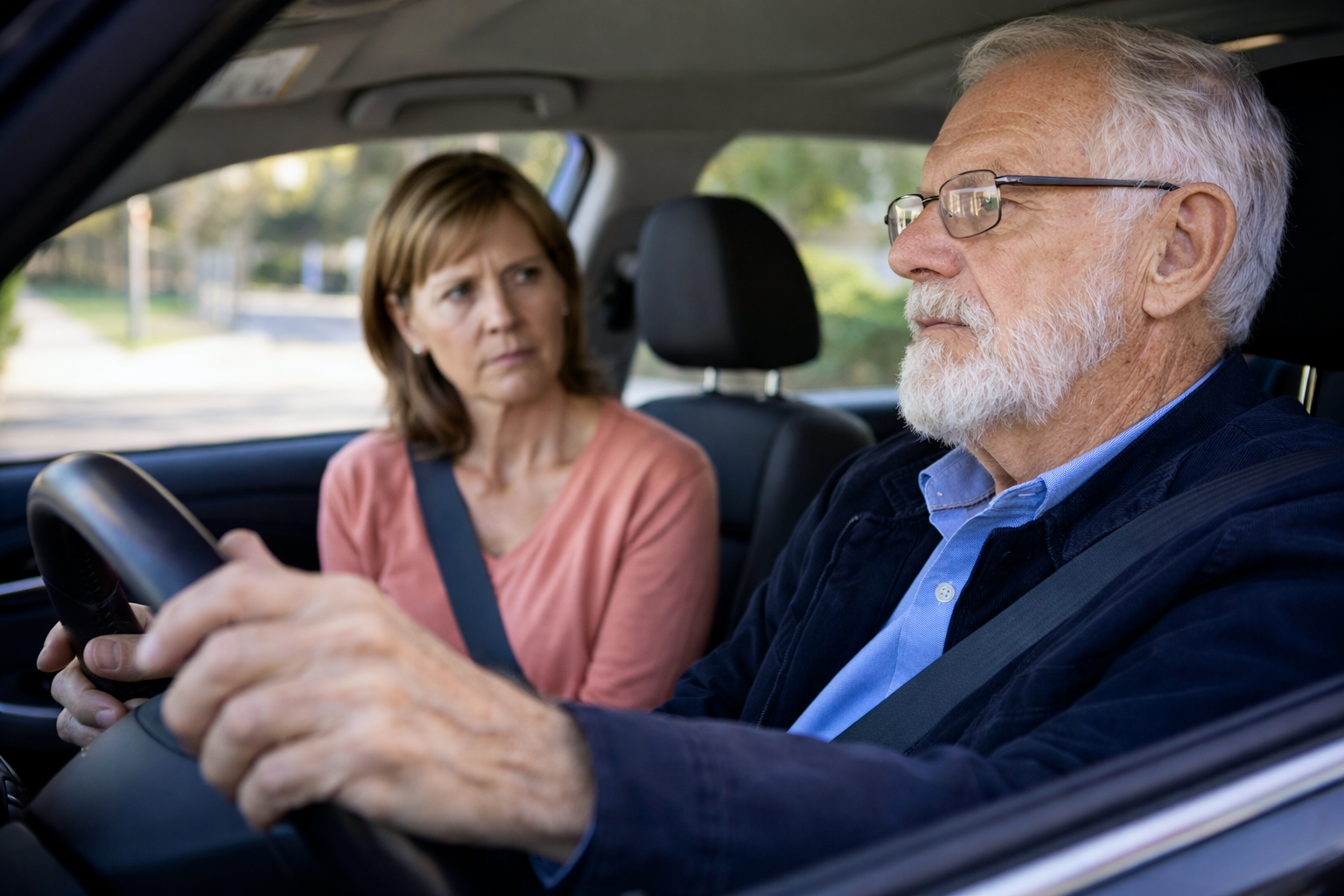
Your dad has driven for 60 years without a single accident.
Then you get in the car with him and notice he’s drifting into other lanes. He doesn’t see the vehicle in his blind spot. He confuses the gas and brake twice.
He insists he’s “fine.” But you’re terrified.
This is one of the most gut-wrenching situations adult children face: When do you take the keys from someone who’s driven their entire adult life?
Driving isn’t just transportation for seniors — it’s independence, identity, and freedom. Taking it away doesn’t feel kind. But ignoring the warning signs can be deadly.
The statistics are sobering:
- 48 million licensed drivers are age 65+ (fastest-growing driving demographic)
- Drivers 70+ have higher crash rates per mile driven than middle-aged drivers
- Drivers 85+ have the highest fatal crash rate of any age group
- Every day, about 20 older adults are killed in car crashes (7,500+ deaths annually)
- 700+ older adults are injured in crashes every day (250,000+ annually)
But here’s the nuance: Most seniors drive safely. Age alone doesn’t make someone dangerous. It’s specific functional impairments — vision, cognition, reaction time, physical ability — that create risk.
This article provides a comprehensive guide to senior driving safety:
- How to assess if your loved one is still safe behind the wheel
- Warning signs that indicate it’s time to intervene
- How to have the difficult conversation
- Technology that can extend safe driving years
- What to do when driving must stop
Because the goal isn’t to take away independence — it’s to keep everyone safe while preserving as much freedom as possible.
Why Driving Changes With Age (The Science)
Aging affects the physical and cognitive abilities required for safe driving. Understanding these changes helps distinguish between normal aging and dangerous impairment.
Vision Changes
Driving is 90% visual, and vision declines significantly with age.
Normal age-related changes:
- Reduced visual acuity — Harder to see clearly at a distance
- Reduced contrast sensitivity — Harder to distinguish objects from backgrounds (especially at dusk)
- Slower adaptation to light changes — Transitioning from bright sun to tunnel, or headlights at night
- Narrowed visual field — Peripheral vision decreases
- Increased sensitivity to glare — Oncoming headlights become blinding
Eye conditions that impair driving:
- Cataracts — Clouding of lens; glare, blurred vision (affects 70% of those 75+)
- Glaucoma — Peripheral vision loss (often unnoticed until severe)
- Macular degeneration — Central vision loss; can’t see what’s directly ahead
- Diabetic retinopathy — Blurred vision, blind spots
Impact on driving:
- Difficulty reading road signs until too close
- Missing objects in peripheral vision (pedestrians, vehicles)
- Dangerous at night or dusk
- Blinded by oncoming headlights
Cognitive Changes
Driving requires complex cognitive processing — attention, decision-making, memory, and reaction time.
Normal age-related changes:
- Slower processing speed — Takes longer to evaluate situations
- Divided attention decline — Harder to track multiple things simultaneously
- Reduced working memory — Harder to remember the route while navigating
- Slower reaction time — 0.5-1 second slower to brake
Conditions that severely impair driving:
- Mild Cognitive Impairment (MCI) — May or may not be safe to drive; needs assessment
- Dementia/Alzheimer’s — Eventually makes driving impossible (judgment, navigation, awareness)
- Stroke — Depending on location, it can affect vision, motor control, and cognition
- Parkinson’s disease — Motor control, reaction time, cognition
NEW Research (2024): People with early dementia often don’t recognize their impairment. They may insist they’re safe drivers even when they’re clearly dangerous. This “anosognosia” (lack of awareness) makes self-assessment unreliable.
Physical Changes
Driving requires physical flexibility, strength, and coordination.
Normal age-related changes:
- Reduced neck flexibility — Harder to check blind spots
- Reduced range of motion — Difficult to turn to look behind
- Decreased strength — Harder to steer quickly
- Slower reflexes — Delayed physical response to hazards
Conditions that impair driving:
- Arthritis — Pain limits movement, grip strength, and turning
- Parkinson’s disease — Tremor, rigidity, slow movement
- Neuropathy — Can’t feel pedals properly
- Post-stroke weakness — May affect one side of the body
Medication Effects
More than 50% of seniors take medications that can impair driving.
High-risk medications for driving:
| Medication Type | Driving Impact |
|---|---|
| Sedatives/sleep aids (Ambien, Lunesta) | Drowsiness, impaired reaction time, and confusion |
| Benzodiazepines (Xanax, Valium) | Sedation, impaired coordination |
| Opioid pain medications | Drowsiness, impaired judgment |
| Antihistamines (Benadryl, older antihistamines) | Sedation, impaired reaction time |
| Some blood pressure medications | Dizziness, fainting |
| Muscle relaxants | Sedation, impaired coordination |
| Some antidepressants | Drowsiness, dizziness |
| Antipsychotics | Sedation, motor impairment |
| Some diabetes medications | Hypoglycemia (confusion, fainting) |
NEW Warning (2025): The FDA now requires stronger warnings about driving impairment for many common medications. Ask your pharmacist whether any medications affect your ability to drive.
Polypharmacy risk: Taking 5+ medications significantly increases driving impairment — even if individual medicines are “safe.”
Warning Signs: When Driving Is No Longer Safe
Watch for these red flags during driving or reports from others:
Navigation and Awareness
- Getting lost on familiar routes
- Missing exits or turns
- Difficulty reading or reacting to road signs
- Not noticing traffic signals until the last moment
- Failing to notice pedestrians, cyclists, or other vehicles
- Driving in the wrong lane or the wrong direction
- Confusion at intersections
Vehicle Control
- Drifting into other lanes
- Straddling lane markings
- Difficulty maintaining consistent speed
- Hitting curbs, mailboxes, or objects
- Confusing gas and brake pedals
- Difficulty judging distances (following too close, misjudging gaps)
- Difficulty parking (multiple attempts, crooked, hitting objects)
Reaction and Judgment
- Slow response to unexpected situations
- Delayed braking
- Difficulty merging into traffic
- Near-misses or close calls (even if no actual crash)
- Other drivers frequently honk at them
- Difficulty judging when to turn at intersections
- Running red lights or stop signs
Physical Indicators
- Difficulty turning head to check blind spots
- Difficulty getting in/out of the vehicle
- Physical fatigue after driving
- Needing to lean forward to see clearly
- Sitting very close to the steering wheel
Behavioral Changes
- Avoiding driving at night, on highways, or in unfamiliar areas
- Getting traffic tickets or warnings
- Increased car damage (dents, scratches with no explanation)
- Becoming anxious or nervous while driving
- Others refusing to ride with them
- Getting “lost” even with GPS
Reports from Others
- Other drivers honking or making gestures
- Passengers feeling unsafe
- Reports from neighbors or friends about concerning driving
- Police contact related to driving
Immediate Red Flags (Stop Driving Now)
These indicate that driving should stop immediately:
▶ Any crash or near-miss caused by driver error
▶ Getting lost in very familiar areas (home neighborhood)
▶ Driving the wrong way on streets
▶ Running red lights or stop signs (not seeing them)
▶ Significant memory problems (forgetting the destination while driving)
▶ Dementia diagnosis (discuss with doctor, but driving typically ends)
▶ The doctor says they shouldn’t drive
How to Assess Driving Safety
Step 1: Ride Along (Covertly Observe)
The best assessment is watching them drive without their knowing you’re evaluating.
What to observe:
- Does scanning (checking mirrors, blind spots)
- Reaction to traffic signals and signs
- Following distance
- Lane position
- Speed consistency
- Decision-making at intersections
- Response to unexpected events
- Overall comfort and confidence
Important: One bad day doesn’t mean they shouldn’t drive. Look for patterns across multiple observations.
Step 2: Medical Evaluation
Schedule a visit with their doctor to discuss driving safety.
What should be assessed:
Vision
- Visual acuity (can they see clearly?)
- Peripheral vision (can they see to the sides?)
- Contrast sensitivity (ability to distinguish objects)
- Night vision
- Eye diseases (cataracts, glaucoma, macular degeneration)
Hearing
- Can they hear horns, sirens, and warnings?
Cognition
- Memory
- Attention and concentration
- Processing speed
- Judgment and decision-making
- Signs of dementia or MCI
Physical function
- Range of motion (can they turn to check blind spots?)
- Strength
- Reaction time
- Coordination
Medications
- Review all medications for driving impairment potential
- Consider alternatives for high-risk medications
- Assess the effects of polypharmacy
A doctor can:
- Provide an opinion on driving safety
- Recommend a formal driving evaluation
- Report to DMV if serious concern (in some states, mandatory)
Step 3: Professional Driving Evaluation
The gold standard for assessing driving ability.
Types of evaluations:
Certified Driver Rehabilitation Specialist (CDRS)
Most comprehensive evaluation:
- Clinical assessment (vision, cognition, physical function)
- On-road driving test in real traffic
- Identifies specific deficits
- Recommends interventions or modifications
- May provide training to improve skills
How to find: Association for Driver Rehabilitation Specialists (aded.net)
Cost: $300-500 (usually not covered by insurance, but some programs are available)
Occupational Therapist Driving Evaluation
- Comprehensive functional assessment
- May include an on-road component
- Identifies deficits
- Recommends interventions
How to find: Check with local hospitals, rehabilitation centers
Driving School Assessment
- On-road driving test with a professional instructor
- Less comprehensive than CDRS
- Can identify major problems
- Less expensive ($50-150)
AAA Senior Driving Evaluation
AAA Roadwise Driver course and online self-assessment:
- Self-assessment tools
- Identify areas of concern
- Recommends actions
- Free at seniordriving.aaa.com
Step 4: DMV Reexamination (If Necessary)
In California, you can request a DMV reexamination if you believe someone is unsafe.
Who can request:
- Family members
- Physicians (mandatory reporting for specific conditions)
- Law enforcement
- Emergency medical technicians
What happens:
- DMV reviews the request
- May require a written test, vision test, and/or driving test
- May interview the driver
- May require medical evaluation
- Decision: Continue driving, restrictions, or revocation
Important: This is adversarial — your family member will know someone reported them. May damage the relationship. Use as a last resort if they refuse other interventions.
California DMV Driver Safety Office: 1-800-777-0133
Having “The Conversation” (Without Destroying Your Relationship)
This is one of the most challenging conversations families have. Handle it wrong, and you’ll face denial, anger, damaged relationships — and they’ll keep driving anyway.
What NOT to Do
✕ Don’t ambush them — Surprise intervention rarely works
✕ Don’t use ultimatums — “You have to stop driving or else.”
✕ Don’t make it about their age — “You’re too old to drive.”
✕ Don’t be condescending — Treat them as incompetent
✕ Don’t have the conversation while they’re driving — Stressful and dangerous
✕ Don’t gang up — Large family confrontation feels like an attack
What TO Do
✓ Choose the right time and place
- Calm, private setting
- Not during a stressful time
- Not immediately after an incident (emotions too high)
✓ Lead with love and respect
- “I love you, and I’m worried about your safety.”
- “I want you to stay independent as long as possible.”
✓ Use “I” statements
- “I felt scared when I rode with you” (not “You’re a dangerous driver”)
- “I noticed…” (not “You always…”)
✓ Share specific observations (without judgment)
- “I noticed you ran a red light on Tuesday.”
- “I’ve seen new dents on the car.”
- “The neighbors mentioned…”
✓ Ask questions, don’t dictate
- “How do you feel about your driving these days?”
- “Have you noticed any changes?”
- “Are there situations where you feel less comfortable?”
✓ Offer solutions, not just problems
- Professional driving evaluation
- Refresher course
- Driving restrictions (no night driving, no highways)
- Transportation alternatives
✓ Involve their doctor
- Sometimes they’ll listen to a doctor before family
- “Let’s ask Dr. Smith what she thinks.”
✓ Focus on safety for OTHERS
- “I’d hate for you to hurt someone else” often resonates more than concern for their own safety
If They Refuse to Accept
This happens frequently. Options:
- Enlist their doctor to have the conversation
- Take another ride and document specific incidents
- Require professional evaluation before you “drop it.”
- Contact DMV for reexamination (last resort)
- In extreme cases: Remove access to the car (take keys, disable the vehicle)
Legal note: In most states, you cannot legally stop a competent adult from driving, even if it is unsafe. Only a DMV revocation, a doctor’s restriction, or a court order can legally prohibit driving. However, you may decline to assist with car maintenance, insurance, and related services.
Extending Safe Driving Years
Many interventions can help seniors drive safely longer.
Medical Interventions
✓ Cataract surgery — Reduces crash risk by 50%
✓ Updated glasses prescription — Annual eye exams critical
✓ Single-vision glasses for driving — Bifocals/progressives distort distance perception
✓ Medication adjustment — Switch to less impairing alternatives
✓ Hearing aids — Improves awareness of sirens, horns
✓ Physical therapy — Improve strength, flexibility, range of motion
✓ Manage chronic conditions — Diabetes, Parkinson’s, heart disease
Refresher Courses
Driver safety courses designed for seniors:
AARP Smart Driver Course
- 4-6 hours
- Classroom or online
- Reviews rules and defensive driving techniques
- May qualify for an insurance discount (10-15% in many states)
- aarpdriversafety.org
AAA Roadwise Driver
- Classroom and online options
- Self-paced
- Focuses on age-related changes
- seniordriving.aaa.com
CarFit Program
- Free 20-minute checkup
- Ensures proper fit with vehicle (seat position, mirrors, pedals)
- Offered at community events
- car-fit.org
Driving Restrictions (Self-Imposed or Required)
Limiting driving to lower-risk situations can extend safe driving:
✓ No night driving (most challenging for aging eyes)
✓ No highway driving (high speed = less reaction time)
✓ No rush hour (complex traffic situations)
✓ Familiar routes only (reduces cognitive load)
✓ Good weather only (rain, fog reduces visibility)
✓ Short distances only (reduces fatigue)
✓ Daytime only (best visibility)
Vehicle Modifications and Features
Modern vehicles have features that make driving safer for seniors:
Essential Safety Features (Look for These)
✓ Automatic emergency braking (AEB) — Applies brakes if a collision is imminent (Reduces rear-end crashes by 50%)
✓ Forward collision warning — Alerts to imminent crash
✓ Blind spot monitoring — Alerts to vehicles in blind spots (Critical for reduced neck mobility)
✓ Lane departure warning/assist — Alerts or corrects if drifting
✓ Backup camera (required since 2018) — Essential for reduced neck turn
✓ Parking sensors — Alerts to obstacles when parking
✓ Adaptive cruise control — Maintains safe following distance
✓ Automatic high beams — Reduce glare management burden
Helpful Features for Physical Limitations
✓ Keyless entry and push-button start — No fumbling with keys (good for arthritis)
✓ Power seats — Easily adjust position
✓ Tilt/telescoping steering wheel — Better positioning
✓ Larger mirrors — Better visibility
✓ Easy-to-read dashboard — Clear, high-contrast displays
✓ Voice controls — For navigation, phone, climate
✓ Wide door openings — Easier entry/exit
✓ Adjustable pedals — Better positioning for shorter drivers
Adaptive Equipment (If Needed)
For specific physical limitations:
- Extended mirrors — For reduced neck mobility
- Pedal extensions — For shorter drivers
- Hand controls — For leg weakness/paralysis
- Spinner knobs — For limited grip strength
- Seat cushions — For better visibility
An occupational therapist or CDRS can recommend appropriate modifications.
Vehicle Selection for Seniors
Best vehicle characteristics for older drivers:
✓ Good visibility — Thin pillars, large windows, low dashboard
✓ Easy entry/exit — Chair-height seats, wide doors
✓ Comfortable driving position — Adjustable seat and steering
✓ Simple controls — Intuitive dashboard, not too many buttons
✓ Quiet cabin — Reduces distraction
✓ Safety features — All features listed above
Vehicles consistently rated well for seniors (2025-2026):
- Subaru Forester (excellent visibility, safety features)
- Honda CR-V (reliability, easy entry)
- Toyota RAV4 (safety, reliability)
- Subaru Outback (visibility, safety, comfortable seats)
- Hyundai Tucson (value, safety features)
- Kia Sportage (easy entry, good visibility)
Resources:
- Consumer Reports rates vehicles for senior drivers
- AAA publishes senior-friendly vehicle recommendations
- IIHS (Insurance Institute for Highway Safety) ratings at iihs.org
NEW: Advanced Driver Assistance Systems (ADAS) — Game Changer for Senior Safety
Modern vehicle technology has transformed the safety of senior driving.
What ADAS Can Do (2025-2026)
Level 1-2 assistance (available now in many vehicles):
✓ Automatic Emergency Braking (AEB) — Stops the car if you don’t brake in time
✓ Pedestrian/Cyclist Detection — Warns or brakes for pedestrians/cyclists
✓ Adaptive Cruise Control — Maintains a safe following distance automatically
✓ Lane Centering — Keeps car centered in lane (not just warning — actually steers)
✓ Traffic Sign Recognition — Displays speed limits, stop signs on dashboard
✓ Driver Attention Monitoring — Alerts if distracted or drowsy
✓ Cross-Traffic Alert — Warns of vehicles when backing out of parking spaces
✓ 360° Cameras — Bird’s-eye view of vehicle surroundings
NEW Technology (2025-2026):
✓ Enhanced hands-free driving (GM Super Cruise, Ford BlueCruise, Mercedes Drive Pilot) — Highway driving with minimal driver input
✓ Intersection collision warning — Warns of cross-traffic at intersections
✓ Wrong-way driving alerts — Warns if entering the road in the wrong direction
✓ Medical emergency detection — Some vehicles can detect a medical emergency and pull over safely
How ADAS Helps Seniors
These systems compensate for many age-related declines:
| Age-Related Decline | ADAS Solution |
|---|---|
| Slower reaction time | Automatic emergency braking |
| Reduced peripheral vision | Blind spot monitoring, cross-traffic alert |
| Difficulty checking blind spots | 360° cameras, blind spot monitoring |
| Depth perception issues | Forward collision warning, parking sensors |
| Night vision problems | Automatic high beams, night vision cameras |
| Lane drifting | Lane departure warning/centering |
| Following too close | Adaptive cruise control |
NEW Research (2024): Vehicles with comprehensive ADAS reduce crashes involving seniors by 35-50%.
Important Caveats About ADAS
▶ ADAS assists — it doesn’t replace safe driving
▶ Driver must remain alert and ready to take over
▶ Systems have limitations (rain, snow, faded lane markings)
▶ Overreliance can be dangerous — must still drive attentively
▶ Learning curve — seniors need training on how systems work
When Driving Must Stop: What Comes Next
Eventually, for most people, driving does end. Handling this transition well is critical.
Acknowledge the Loss
Losing driving ability means losing:
- Independence
- Spontaneity
- Identity (especially for men who’ve driven their whole lives)
- Social connections
- Errands and appointments on their schedule
This is a real grief. Don’t minimize it. Allow them to mourn while helping them adjust.
Comprehensive Transportation Alternatives
The goal: Maintain mobility and independence without driving.
Family and Friends
✓ Create a driving schedule among family members
✓ Establish regular times for errands, appointments
✓ Offer rides proactively (don’t make them ask every time)
Ride-Sharing Services
✓ Uber and Lyft — Available in most areas
- Can call or use the app
- GoGoGrandparent (1-855-464-6872) — Service that arranges Uber/Lyft via phone call for non-smartphone users
✓ Uber Health — Medical transportation (can be arranged by healthcare providers)
Senior Transportation Services
✓ FACT (Foundation for Senior Care and Transportation) — San Diego County
- Door-to-door service for seniors
- factsandiego.org
✓ MTS Access — San Diego paratransit
- For those who can’t use regular transit
- Requires certification
- sdmts.com/access
✓ Volunteer driver programs — Many communities have volunteers who drive seniors
- Check local senior centers
- Faith communities often offer
✓ Senior center shuttles — Many senior centers provide transportation to their programs
Medical Transportation
✓ Non-Emergency Medical Transportation (NEMT)
- Covered by Medicaid for medical appointments
- Some Medicare Advantage plans include
✓ American Cancer Society Road to Recovery
- Free rides to cancer treatment
- cancer.org/support-programs-and-services/road-to-recovery
✓ Dialysis center transportation — Most dialysis centers arrange transportation
Public Transportation
✓ San Diego MTS buses and trolley
- Many seniors qualify for reduced fares
- Trip planner at sdmts.com
✓ Paratransit (MTS Access) — Door-to-door for those unable to use fixed routes
Delivery Services
Reduce the need for transportation by bringing services home:
✓ Grocery delivery — Instacart, Amazon Fresh, Walmart+, local grocery delivery
✓ Meal delivery — DoorDash, Uber Eats, Meals on Wheels
✓ Pharmacy delivery — Most pharmacies deliver: CVS, Walgreens, Amazon Pharmacy
✓ General shopping — Amazon, Walmart, Target delivery
Professional Caregiver Transportation
All Heart Home Care caregivers provide transportation as part of care:
✓ Doctor appointments — Accompaniment and note-taking
✓ Errands — Grocery shopping, pharmacy, bank, post office
✓ Social activities — Church, senior center, visiting friends
✓ Personal business — Hair appointments, shopping
✓ Safe driving — Professional, insured, reliable
✓ Companionship during trips — Not just a ride, but company
This is often the best solution because:
- Consistent, reliable transportation
- Same trusted person each time
- Help with activities at the destination (shopping, carrying bags)
- Companionship reduces isolation
- A caregiver can also help with other needs during a visit
The Bigger Picture: Helping Seniors Stay Mobile
Why Mobility Matters
When seniors can’t get around, everything suffers:
- Medical care declined — Miss appointments, don’t fill prescriptions
- Social isolation increases — Can’t see friends, attend activities
- Depression and anxiety worsen — Feeling trapped at home
- Nutrition suffers — Can’t shop for groceries
- Overall decline accelerates — Inactivity leads to weakness
Research shows that seniors who stop driving have:
- 5x higher risk of entering long-term care
- Significantly higher rates of depression
- Reduced life expectancy
The goal isn’t to stop driving — it’s to ensure safe mobility, whatever form that takes.
When Home Care Helps
All Heart Home Care helps seniors maintain mobility and independence:
✓ Transportation to appointments and activities
✓ Accompaniment during outings (help with shopping, carrying bags)
✓ Medication management (ensuring they get to the pharmacy or get deliveries)
✓ Physical fitness support (exercises that improve driving-related abilities, or general mobility)
✓ Coordination with medical providers (getting to appointments, communicating about driving concerns)
✓ Emotional support (processing loss of driving, adjusting to alternatives)
✓ Observation of driving safety (caregiver may notice problems that the family doesn’t see)
Action Plan: What to Do Right Now
If You’re Concerned About a Loved One’s Driving
This week:
✓ Ride along and observe (don’t announce you’re evaluating)
✓ Note specific concerns (not just “they’re bad”)
✓ Check the car for damage (dents, scratches)
✓ Ask others who’ve ridden with them
This month:
✓ Schedule a doctor appointment to discuss driving safety
✓ Suggest a professional driving evaluation
✓ Take the AAA or AARP refresher course together (less threatening)
✓ Review medications for driving impairment
If significant concerns:
✓ Have “the conversation” using the techniques above
✓ Implement driving restrictions if appropriate
✓ Develop transportation alternatives
✓ Contact DMV for reexamination if necessary
If Driving Has Already Ended
Immediately:
✓ Acknowledge the loss — this is a big deal
✓ Create transportation plan (family, services, caregivers)
✓ Set up delivery services (groceries, pharmacy)
✓ Arrange regular outings (don’t let them become isolated)
Ongoing:
✓ Maintain social connections
✓ Ensure medical appointments continue
✓ Monitor for depression (common after driving cessation)
✓ Consider a professional caregiver for transportation and companionship
The Bottom Line
Senior driving safety isn’t about taking away independence — it’s about making informed decisions that protect your loved one AND others on the road.
Key takeaways:
✓ Age alone doesn’t make someone unsafe — Specific functional impairments do
✓ Watch for warning signs — Navigation problems, vehicle control issues, slow reactions
✓ Get professional assessment — Don’t rely only on family observations
✓ Medical interventions can extend safe driving — Cataract surgery, medication review, and physical therapy
✓ Modern vehicles have game-changing safety technology — ADAS features compensate for many age-related declines
✓ When driving ends, mobility must continue — Transportation alternatives prevent isolation and decline
✓ Professional caregivers can help — Transportation, accompaniment, emotional support
We Can Help
At All Heart Home Care, we help seniors maintain mobility and independence — whether they’re still driving or have transitioned to other transportation.
Our caregivers provide:
✓ Transportation to appointments and activities — Reliable, safe, accompanied
✓ Accompaniment during outings — Help with shopping, carrying bags, navigating
✓ Medication management — Ensuring prescriptions are filled and taken correctly
✓ Physical fitness support — Exercises that maintain strength, flexibility, and coordination
✓ Observation and communication — We’ll notice changes in abilities and communicate with family
✓ Emotional support — Helping process the loss of driving and adjust to alternatives
✓ Coordination with medical providers — Ensuring appointments happen and concerns are communicated
Our rates begin at $37/hour (depending on shift length), and we provide transparent pricing with no hidden fees.
Call us at (619) 736-4677 for a free consultation.
Because staying mobile and connected is essential to quality of life — whether behind the wheel or in the passenger seat.
Resources
Driving Assessment:
- AARP Driver Safety: aarpdriversafety.org
- AAA Senior Driving: seniordriving.aaa.com
- Association for Driver Rehabilitation Specialists: aded.net
- CarFit Program: car-fit.org
DMV:
- California DMV Driver Safety: dmv.ca.gov/portal/driver-education-and-safety/dmv-safety-guidelines-actions
- DMV Reexamination Request: 1-800-777-0133
Transportation Alternatives (San Diego):
- FACT San Diego: factsandiego.org
- MTS Access: sdmts.com/access
- GoGoGrandparent: 1-855-464-6872
Vehicle Safety:
- IIHS Vehicle Safety Ratings: iihs.org
- Consumer Reports Auto: consumerreports.org/cars
Warning Signs Checklist
Print and use during ride-along observations:
Navigation and Awareness
- Getting lost on familiar routes
- Missing exits or turns
- Not reacting to signs/signals promptly
- Not noticing pedestrians or vehicles
Vehicle Control
- Drifting into other lanes
- Difficulty maintaining speed
- Hitting curbs or objects
- Difficulty parking
- Confusing gas and brake
Reaction and Judgment
- Slow braking response
- Difficulty merging
- Near-misses
- Running red lights/stop signs
Physical Signs
- Difficulty turning the head
- Leaning forward to see
- Physical fatigue after driving
Red Flags (Stop Driving Now)
- Any crash caused by their error
- Driving the wrong way
- Getting lost in one’s own neighborhood
- The doctor says stop
- Significant memory problems