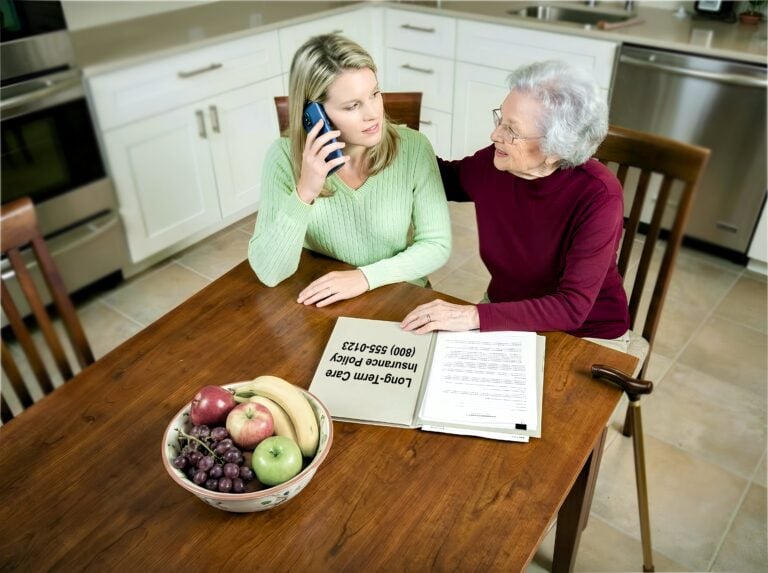

Visiting aging parents after months apart can be eye-opening—and not always in the way you expect. You walk through the front door, anticipating the warm, welcoming home you remember, and something feels off. The house smells musty. Mom looks thinner. Dad seems confused about the day of the week. When did they stop keeping food in the refrigerator?
“When did this happen?” you wonder. “How did I miss this?”
You’re not alone. This scene plays out in homes across America every holiday season—and there’s a reason you’re noticing things that others have missed.
Why You See What Others Miss When Visiting Aging Parents
The “Boiling Frog” Effect
When local family members see your parents every day—or even every week—changes happen so gradually they’re nearly invisible. Their brains adapt. “Mom’s always been a little forgetful.” “Dad’s just slowing down with age.” “The house has always been a bit cluttered.”
But when you visit after months away, you see the cumulative change all at once.
It’s jarring. It’s unmistakable. And it’s often the first time anyone in the family truly understands something is wrong.
The Distance Paradox
Here’s a counterintuitive fact: Long-distance family members visiting aging parents often assess their condition more accurately than those who live nearby.
Why does this happen?
- Fresh eyes see accumulated changes
- No normalization bias from daily exposure
- Clear comparison to your memory of their previous condition
- Emotional distance allows for a more objective assessment
Your observations matter. You may be seeing what everyone else has missed.
Why Your Parents May Be Hiding Problems
When visiting aging parents, don’t expect them to tell you they’re struggling. Most seniors hide their decline because of:
✓ Pride — “I’ve always handled things myself.”
✓ Fear — Terrified of losing independence or being “put in a home.”
✓ Denial — Don’t recognize or won’t admit their own decline.
✓ Protection — Don’t want to worry you or be a burden.
✓ Cognitive impairment — May genuinely not be aware of problems.
This means you need to observe—not just ask “How are you doing?” and accept “Fine” as the answer.
Your Assessment Checklist When Visiting Aging Parents
Use your visit as an opportunity to assess how your parents are really doing. We’ve created a comprehensive guide to the warning signs that indicate a parent needs help: 12 Warning Signs Your Parent Needs Help at Home.
During your visit, pay special attention to the following areas.
Quick Visual Assessment (First 10 Minutes)
☐ Their appearance — Weight loss? Hygiene issues? Wearing clean clothes?
☐ The home — Clean? Cluttered? Strange smells? Mail piled up?
☐ The kitchen — Food in refrigerator? Expired items? Dirty dishes?
☐ Their movement — Walking steadily? Holding furniture for support?
☐ Their mood — Seem like themselves? Anxious? Withdrawn? Confused?
What to Observe Throughout Your Visit
☐ Memory — Repeating stories? Forgetting recent conversations? Confused about dates?
☐ Medications — Organized? Taking correctly? Bottles still full?
☐ Safety — Grab bars in bathroom? Trip hazards? Are smoke detectors working?
☐ Eating — Eating meals? Nutritious food? Weight changes?
☐ Social life — Still seeing friends? Attending activities? Leaving the house?
☐ Driving — New dents on the car? Comfortable driving? Getting lost?
For the complete checklist and detailed explanations of each warning sign, see our full guide: 12 Warning Signs Your Parent Needs Help at Home.
How Many Warning Signs Mean It’s Time to Act?
Use this general guideline:
| Warning Signs | What It Means | Action Needed |
|---|---|---|
| 1–2 signs | Early decline possible | Monitor closely, address specific issues |
| 3–4 signs | Significant decline | Professional assessment needed, consider home care |
| 5+ signs | Urgent situation | Comprehensive intervention is required now |
▶ Immediate action required — Any of these warning signs demand urgent attention:
- Significant unexplained weight loss
- Recent falls or injuries
- Getting lost in familiar places
- Leaving the stove on or other safety hazards
- Signs of financial exploitation
What to Do During Your Short Visit
You only have a few days. Here’s how to make them count. Print this checklist for visiting aging parents and use it during your stay.
Day 1: Observe and Document
☐ Take mental notes (or actual notes) of concerns
☐ Take photos of concerning conditions (with permission if possible)
☐ Look through mail for unpaid bills, collection notices, and suspicious solicitations
☐ Check the car for new damage
☐ Check medications—are they taking them correctly?
Day 2: Have the Conversation
☐ Choose a calm moment—not during holiday chaos
☐ Lead with love: “I care about you, and I noticed some things that worried me.”
☐ Share specific observations—not accusations
☐ Ask questions and listen: “How have you been feeling?”
☐ Offer solutions: “What if we tried…”
For detailed guidance on this difficult conversation, see “How to Talk to Your Parents About Getting Help.”
Day 3: Take Action
Quick fixes you can do before leaving:
☐ Install grab bars in bathroom (under $50 at hardware store, 30 minutes to install)
☐ Remove throw rugs and obvious trip hazards
☐ Add nightlights in the hallway and bathroom
☐ Stock the refrigerator with easy-to-prepare, nutritious food
☐ Organize medications in a weekly pill box
☐ Set up automatic bill pay for essential bills
☐ Post emergency contacts on every phone
☐ Test smoke detectors and replace batteries
For a comprehensive home safety checklist, see: In-Home Safety Checklist for Seniors.
Before You Leave: Set Up Ongoing Support
☐ Schedule a doctor appointment for a comprehensive evaluation
☐ Identify local contacts—neighbors, friends, nearby family who can check in
☐ Research home care options—get information to review
☐ Set up regular video calls—weekly at minimum
☐ Create an emergency plan—who to call if something happens
The Long-Distance Caregiver’s Challenge
According to the 2025 Caregiving in the U.S. report from AARP and the National Alliance for Caregiving, 63 million Americans now serve as family caregivers—a 45% increase since 2015. Many of these caregivers provide support from a distance, visiting aging parents only a few times per year while coordinating care from hundreds of miles away.
If visiting aging parents from out of town is your reality, here are strategies that work.
Stay Connected Between Visits
For families visiting aging parents only a few times per year, staying connected between trips is essential.
✓ Daily check-in calls — Same time each day creates a routine
✓ Video calls — You can see them, not just hear them
✓ Smart home technology — Video doorbell, motion sensors, medication reminders
✓ Social media or photo sharing — Stay involved in daily life
Build a Local Network
✓ Neighbors — Ask them to watch for anything unusual
✓ Nearby family or friends — Coordinate regular visits
✓ Faith community — Many churches check on elderly members
✓ Local family — Share observations and concerns with siblings or relatives nearby
Consider Professional Home Care
When you can’t be there, professional home care becomes your eyes and ears on the ground.
A quality home care agency can provide regular care and monitoring, notice changes that might otherwise be missed, communicate with you about your parents’ condition, coordinate with doctors and other providers, handle emergencies when you’re far away, and give you peace of mind between visits.
Many families have found that arranging home care—even just a few hours per week—transforms their experience of long-distance caregiving. See how other families have made this decision: The Holiday Gift That Matters: Real Families Share Their Stories.
The Cost of Waiting vs. Acting Now
Research consistently shows that early intervention leads to better outcomes. According to CDC data, more than one in four adults aged 65 and older fall each year, and falling once doubles the chances of falling again. Each year, approximately 3 million older adults visit emergency departments due to falls, and about 1 million are hospitalized.
Families who act when they first notice warning signs typically see:
- Parents are remaining independent longer
- Fewer emergency room visits
- Reduced fall risk through home modifications and monitoring
- Lower overall costs compared to crisis-driven care
- Less family conflict and caregiver burnout
Families who wait until a crisis often face:
- Higher likelihood of nursing home placement
- Significantly higher costs in the first year of care
- Higher rates of caregiver burnout and family conflict
- A crisis that becomes the beginning of a rapid decline
The warning signs you notice when visiting aging parents predict where they’ll be in 6–12 months. Acting now changes that trajectory.
Printable Holiday Visit Checklist
Print this and use it during your visit:
First Impressions
- ☐ Appearance (weight, hygiene, clothing)
- ☐ Home condition (cleanliness, odors, clutter)
- ☐ Refrigerator (food? expired items?)
- ☐ Mail (unopened? bills piling up?)
- ☐ Mood (seem like themselves?)
Throughout Visit
- ☐ Memory and confusion
- ☐ Mobility and balance
- ☐ Medications
- ☐ Eating habits
- ☐ Social engagement
- ☐ Driving
Before You Leave
- ☐ Install grab bars
- ☐ Remove trip hazards
- ☐ Add nightlights
- ☐ Stock refrigerator
- ☐ Organize medications
- ☐ Schedule a doctor appointment
- ☐ Set up ongoing check-ins
- ☐ Research home care options
Warning Sign Count
- 1–2 signs: Monitor and address
- 3–4 signs: Professional help needed
- 5+ signs: Urgent action required
More Resources for Visiting Aging Parents
- 12 Warning Signs Your Parent Needs Help at Home — Comprehensive guide to recognizing decline
- How to Talk to Your Parents About Getting Help — Strategies for the Difficult Conversation
- In-Home Safety Checklist for Seniors — Complete guide to making the home safer
- In-Home Fall Prevention for Seniors — Evidence-based strategies to prevent falls
- The Holiday Gift That Matters: Real Families Share Their Stories — How families found peace of mind through home care
References
- AARP and National Alliance for Caregiving. (2025). Caregiving in the U.S. 2025. aarp.org/pri/topics/ltss/family-caregiving/caregiving-in-the-us-2025
- Centers for Disease Control and Prevention. (2024). Facts About Falls. cdc.gov/falls/data-research/facts-stats
- Colón-Emeric, C. S., et al. (2024). Risk Assessment and Prevention of Falls in Older Community-Dwelling Adults: A Review. JAMA, 331(16), 1397–1406. jamanetwork.com/journals/jama/fullarticle/2819574
- Meulenbroeks, I., et al. (2024). Effectiveness of fall prevention interventions in residential aged care and community settings: an umbrella review. BMC Geriatrics, 24, 75. doi.org/10.1186/s12877-023-04624-4
- Family Caregiver Alliance. (2024). Caregiver Statistics: Demographics. caregiver.org/resource/caregiver-statistics-demographics
We Can Help—Even From a Distance
At All Heart Home Care, we work with many families who live outside San Diego but have parents here who need support. When visiting aging parents reveals concerns, we can help you figure out the next steps—even if you’re calling from across the country.
Call us at (619) 736-4677, and we’ll listen to what you’ve observed, help you understand what level of home care might help, conduct a free in-home assessment (you can participate by video), provide regular updates on your parents’ condition, and give you peace of mind between visits.
We serve families throughout San Diego County.
Don’t let another visit pass with worry but no action. Call (619) 736-4677 for a free consultation.
Disclaimer: This article is for informational purposes only and does not constitute medical advice. Always consult with qualified healthcare providers before making decisions about a loved one’s care. If you observe signs of cognitive decline, arrange for a professional evaluation by their physician.